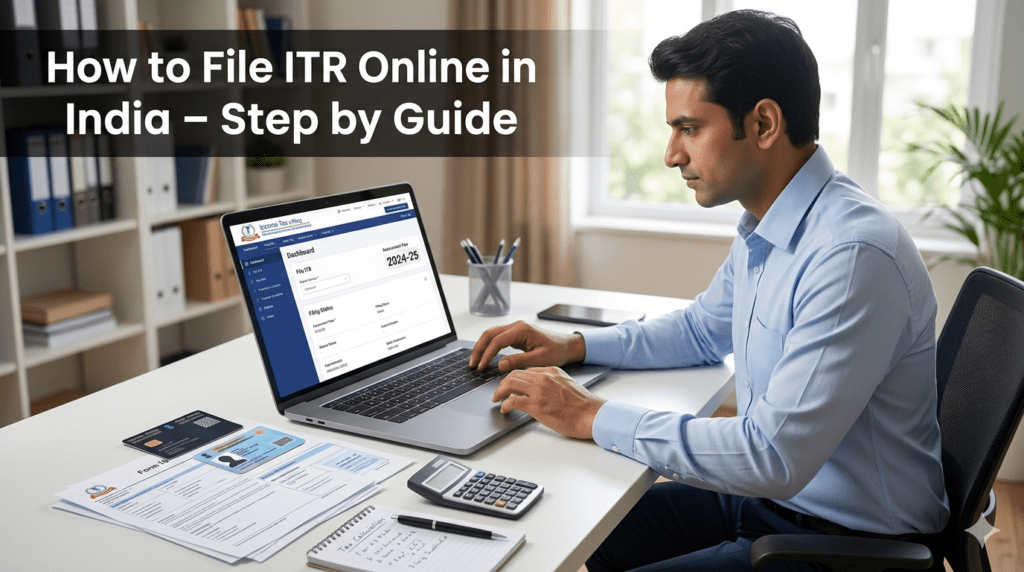
How to File ITR Online in India is a common question among salaried employees, freelancers, business owners, and taxpayers. Filing an Income Tax Return (ITR) online has become simple and convenient through the Income Tax Department’s e-filing portal. This step-by-step guide explains how to file ITR online in India, the documents required, deductions available, and the complete e-verification process.
Filing an Income Tax Return (ITR) is an important responsibility for every eligible taxpayer in India. With the introduction of digital tax services, taxpayers can now file their ITR online from the comfort of their homes. Understanding how to file ITR online helps individuals stay compliant with tax laws, claim refunds, and maintain proper financial records.
Whether you are a salaried employee, freelancer, business owner, or pensioner, this guide will explain the complete process of filing an Income Tax Return online in a simple and easy-to-understand manner.
What is an Income Tax Return (ITR)?
An Income Tax Return (ITR) is a form used by taxpayers to report their income, deductions, investments, and taxes paid to the Income Tax Department of India. Filing an ITR helps the government assess your tax liability and determine whether you owe additional tax or are eligible for a refund.
Why is Filing ITR Important?
Filing an Income Tax Return offers several benefits:
- Helps claim tax refunds.
- Serves as proof of income.
- Required for visa applications in many countries.
- Helps in obtaining loans and credit cards.
- Avoids penalties and legal issues.
- Maintains compliance with income tax regulations.
Who Should File an ITR?
The following individuals and entities should consider filing an ITR:
- Individuals whose income exceeds the basic exemption limit.
- Salaried employees.
- Freelancers and self-employed professionals.
- Business owners.
- Individuals claiming tax refunds.
- Individuals with foreign assets or foreign income.
- Companies and partnership firms.
Even if your income is below the taxable limit, filing an ITR can be beneficial for financial documentation and future requirements.
Documents Required for Filing ITR Online
Before starting the filing process, keep the following documents ready:
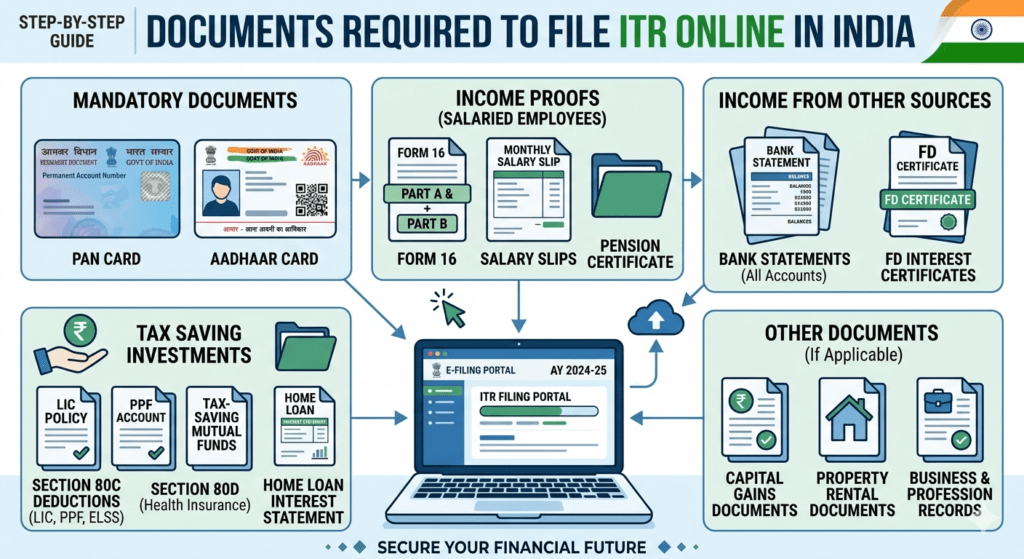
1. PAN Card
Your Permanent Account Number (PAN) is mandatory for filing an ITR.
2. Aadhaar Card
Aadhaar should be linked with your PAN for seamless tax filing.
3. Form 16
Salaried employees receive Form 16 from their employer, which contains salary and TDS details.
4. Bank Account Details
Keep your bank account information handy for tax refunds.
5. Form 26AS
This document shows tax deducted at source (TDS), advance tax, and self-assessment tax payments.
6. Investment Proofs
Documents related to deductions under Sections 80C, 80D, and other tax-saving investments.
7. Income Details
Information regarding salary, business income, rental income, interest income, and other earnings.
Types of ITR Forms
Different taxpayers need to file different ITR forms:
ITR-1 (Sahaj)
Suitable for:
- Salaried individuals.
- Pensioners.
- Individuals with income from one house property.
- Income up to specified limits under applicable rules.
ITR-2
Suitable for:
- Individuals with capital gains.
- Individuals owning multiple house properties.
ITR-3
Suitable for:
- Business owners.
- Professionals and freelancers.
ITR-4 (Sugam)
Suitable for:
- Taxpayers opting for presumptive taxation schemes.
Selecting the correct ITR form is crucial for successful filing.
To better understand India’s taxation system, read our detailed guide on What is GST
How to File ITR Online: Step-by-Step Process
Follow these steps to file your Income Tax Return online:
Step 1: Visit the Income Tax Portal
Visit the official Income Tax e-Filing portal and log in using your PAN, Aadhaar-linked credentials, or registered user ID.
Step 2: Login to Your Account
Enter:
- User ID (PAN)
- Password
- Captcha Code
After successful login, access your dashboard.
Step 3: Choose ‘File Income Tax Return’
Navigate to the e-file section and select:
- File Income Tax Return
- Relevant Assessment Year
- Filing Mode (Online)
Step 4: Select Your Taxpayer Category
Choose the applicable category:
- Individual
- HUF
- Firm
- Company
Most taxpayers select “Individual.”
Step 5: Choose the Correct ITR Form
Based on your income source and taxpayer type, select the appropriate ITR form.
Step 6: Verify Personal Information
Review:
- Name
- PAN
- Aadhaar Number
- Address
- Bank Details
Ensure all information is accurate.
Step 7: Enter Income Details
Fill in details regarding:
Salary Income
Enter salary details as per Form 16.
House Property Income
Report rental income or self-occupied property details.
Capital Gains
Include gains from shares, mutual funds, or property sales.
Other Income
Add:
- Interest income
- Dividend income
- Freelance income
- Any other earnings
Step 8: Claim Deductions
Enter eligible deductions under various sections such as:
Section 80C
- PPF
- ELSS
- Life Insurance Premium
- EPF Contributions
Section 80D
Health insurance premiums.
Section 80G
Donations to approved charitable institutions.
Other Applicable Sections
Claim deductions as per your eligibility.
Step 9: Verify Tax Liability
The portal automatically calculates:
- Gross Income
- Taxable Income
- Total Tax Liability
- Taxes Paid
- Refund or Outstanding Tax
Review calculations carefully.
Step 10: Pay Tax if Required
If additional tax is payable:
- Generate a challan.
- Make payment online.
- Update payment details in the return.
Step 11: Preview the Return
Carefully review:
- Income details
- Deductions
- Tax calculations
- Personal information
Correct any errors before submission.
Step 12: Submit the Return
Click the “Submit” button to file your Income Tax Return online.
Step 13: Complete e-Verification
Your ITR filing is complete only after verification.
You can verify using:
- Aadhaar OTP
- Net Banking
- Bank Account Verification
- Demat Account Verification
- Digital Signature Certificate (DSC)
e-Verification is the fastest and easiest method.
Common Mistakes to Avoid While Filing ITR
Many taxpayers make avoidable mistakes while filing returns.
Choosing the Wrong ITR Form
Always select the form applicable to your income source.
Incorrect Personal Information
Ensure PAN, Aadhaar, and bank details are accurate.
Ignoring Interest Income
Many taxpayers forget to report savings account and FD interest.
Missing Deductions
Claim all eligible deductions to reduce tax liability.
Not Verifying the Return
An unverified return is considered incomplete.
Delayed Filing
Late filing may attract penalties and interest.
Benefits of Filing ITR Online
Filing Income Tax Returns online offers numerous advantages:
- Convenient and paperless process.
- Faster tax refunds.
- Easy record maintenance.
- Better financial credibility.
- Reduced chances of errors.
- Secure and transparent filing system.
What Happens After Filing ITR?
After filing and verifying your return:
- An acknowledgment is generated.
- The Income Tax Department processes the return.
- Refunds, if applicable, are credited to your bank account.
- You can track the return status online.
Keep a copy of the acknowledgment and filed return for future reference.
Frequently Asked Questions (FAQs)
Can I File ITR Without Form 16?
Yes. You can use salary slips, bank statements, and Form 26AS to file your return.
Is Aadhaar Mandatory for Filing ITR?
PAN and Aadhaar linking is generally required for seamless filing and verification.
Can I Revise My ITR After Filing?
Yes, taxpayers can revise their returns if errors are discovered after submission, subject to applicable rules and timelines.
What Happens If I Do Not File ITR?
Failure to file may lead to penalties, interest, and difficulties in financial transactions.
Conclusion
Understanding how to file ITR online is essential for every taxpayer in India. The online filing process is simple, convenient, and secure when the required documents are prepared in advance. By selecting the correct ITR form, reporting income accurately, claiming eligible deductions, and completing e-verification, taxpayers can file their returns without hassle.
Regular and timely filing of Income Tax Returns not only ensures legal compliance but also helps in claiming refunds, building financial credibility, and maintaining a strong financial record. If you are unsure about your tax obligations, consulting a qualified tax professional or Chartered Accountant can help ensure accurate and stress-free filing.